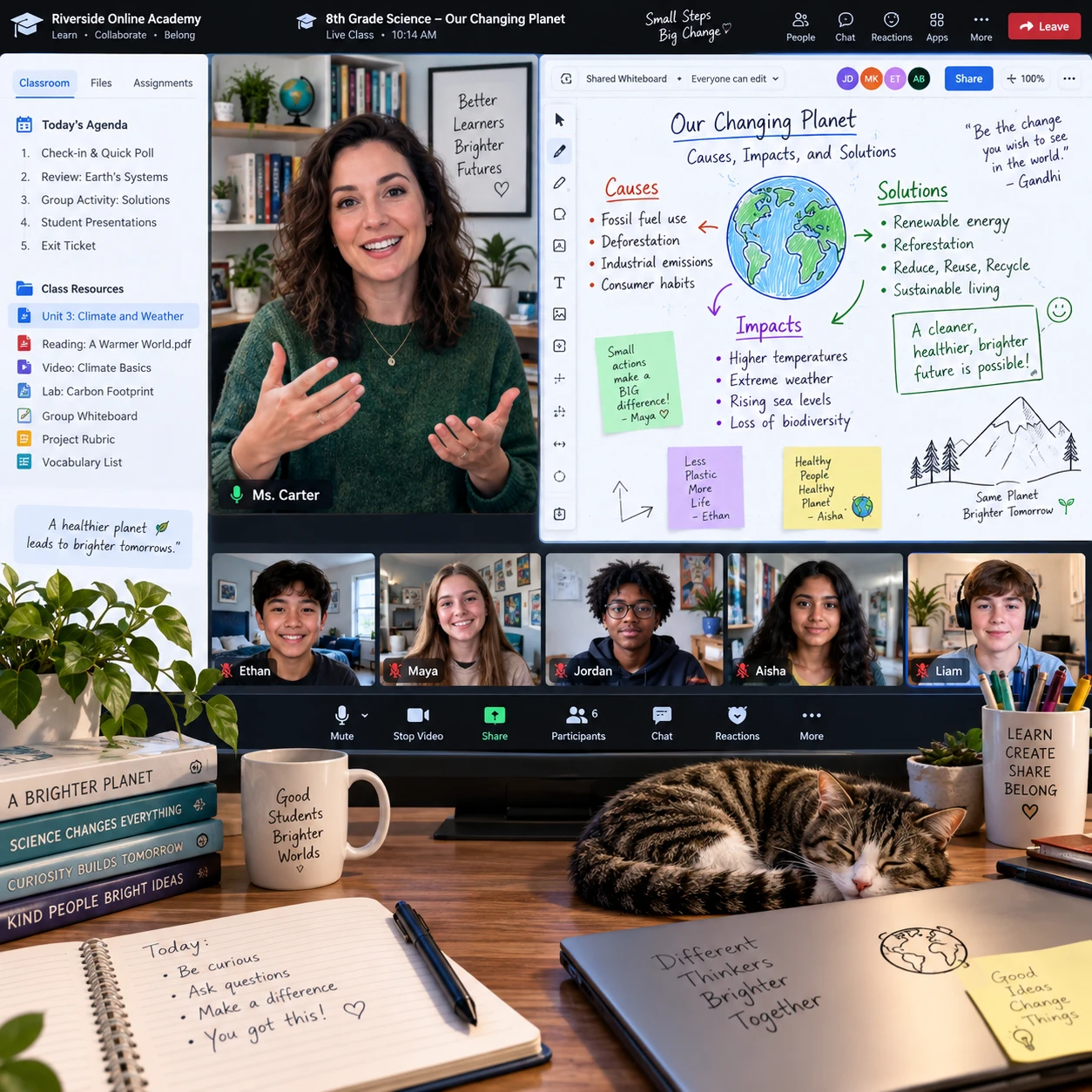


Overcoming Digital Fatigue: Strategies for Sustainable Online Learning

Online learning offers flexibility, but long stretches of screen-based classes and assignments can leave students feeling worn out. Digital fatigue can affect focus, motivation, and student well-being; it is a signal to review the way learning time is organized, not proof that online school cannot work.
Small adjustments can make the school day more manageable. Notice early signs, set a realistic routine, take screen-free study breaks, and ask for online school support when challenges persist. The right mix will differ by age, schedule, and learning needs.
What digital fatigue can look like in online school
Digital fatigue in online school can show up as difficulty concentrating, tired eyes, headaches, irritability, or feeling mentally drained after screen-based lessons. These experiences may come and go, so pay attention to patterns rather than judging a whole school day by one difficult moment.
A student might reread the same paragraph several times, struggle to follow a live lesson, or feel unusually impatient during an assignment. Physical discomfort can also be a clue: dry or tired eyes, tension from sitting still, or a stiff neck after a long stretch at a computer. These signs have many possible causes, so they should not be treated as a diagnosis.
Try a simple check-in at the end of each school day: What felt tiring? When did focus dip? Did a break or a change of activity help? A brief note can reveal whether fatigue tends to follow long video lessons, back-to-back tasks, poor sleep, or a noisy workspace. That information makes it easier to choose a practical adjustment and explain the problem to a teacher or caregiver.
Why online learning can feel exhausting
Online learning can feel exhausting when screen time, frequent tasks, and home responsibilities pile up without enough variation or recovery. The combination matters: a screen-heavy day with clear breaks may feel different from a shorter day filled with interruptions and constant task switching.
Students often use the same device to attend class, read instructions, complete assignments, and communicate with classmates. Switching between tabs and platforms can divide attention, while video calls may require sustained listening and watching. Even when a task is worthwhile, the effort of staying engaged through a screen can feel different from learning through hands-on or face-to-face activities.
Home and school boundaries can blur, too. A student may finish a class, then continue working at the same desk and device, with no clear signal that the school day has ended. Notifications, household noise, and caregiving responsibilities can add interruptions. The aim is not to remove every screen or distraction; it is to reduce avoidable strain and create more variety in how learning happens.
Build a sustainable daily learning routine
To build a sustainable learning routine, set a clear start, choose a short list of priorities, alternate demanding tasks where possible, and create an end to the school day. A workable plan should reflect the student’s class schedule, energy, and responsibilities rather than copy someone else’s timetable.
Before lessons begin, check the day’s schedule and identify the two or three tasks that need the most attention. Break a large assignment into smaller steps, such as reviewing instructions, drafting one section, and checking the work. This makes time management more concrete and gives the student a clear next action when motivation dips.
- Start with a cue: Get dressed, prepare water and materials, and open only the tabs needed for the first class.
- Group similar tasks: If the schedule allows, do reading or written work in a focused block instead of switching repeatedly between different activities.
- Plan transitions: Leave a few minutes between lessons to stand, refill water, or locate the next assignment.
- Set a finish point: Review what is complete, note the next step for tomorrow, and close school-related tabs when the day ends.
Some students focus best in shorter work periods; others need longer stretches to settle into a task. Test one change at a time for several school days and keep what helps. A rigid schedule can become another source of pressure, especially when live classes or family needs change the day.
Use breaks to reset attention
Regular screen-free breaks give online learners a chance to move, rest their eyes, and shift attention before returning to schoolwork. Their timing should fit the lesson schedule and the student’s needs; there is no single break interval that suits everyone.
Use natural transition points, such as the end of a class or after completing a defined task. A few minutes away from the device can be more restorative than opening a different screen. Try standing, walking around, stretching gently, getting a drink, or looking outside. Between longer study blocks, an offline activity such as a snack or a short chore can create a more noticeable reset.
During a break, avoid turning every pause into a race to catch up on messages. If the student has a limited break, choose one simple activity and return when the timer or next class begins. If live lessons run back to back, ask whether it is possible to build in a brief transition or move a non-urgent task to a later time.
Breaks support attention, but they cannot make an unrealistic workload sustainable on their own. If fatigue continues despite regular pauses, review the volume and timing of schoolwork with a caregiver or teacher.
Make your online study space work for you
A useful online study space reduces avoidable distractions and makes it easier to use a device comfortably. It does not need to be a separate room; a consistent place with the materials a student needs can be enough.
Place the device on a stable surface and arrange the chair and screen so the student can sit comfortably. Keep frequently used items, such as a notebook, headphones, charger, and water, within reach to avoid repeated searches. When possible, use room lighting that limits glare and take short eye breaks during long screen sessions.
Notifications can interrupt focus even when a student does not respond to them. During independent work, silence non-school alerts or use a device’s focus setting if school rules and family expectations allow. Keep necessary learning platforms accessible, and agree with caregivers on how to handle urgent messages. A tidy desk helps, but trying to create a perfect workspace can waste time; prioritize comfort, access, and fewer interruptions.

Ask for support when fatigue persists
Ask for support when digital fatigue keeps interfering with learning, daily routines, or a student’s ability to complete schoolwork. A teacher, caregiver, counselor, or online school support staff member can help identify whether the issue involves workload, scheduling, access needs, or challenges outside school.
Make the conversation specific. Instead of saying only, “Online school is exhausting,” describe what happens: “I lose focus after two video classes,” or “I have several assignments due on the same evening.” Share what has already helped, such as a short offline break or fewer notifications. This gives adults something concrete to discuss and makes it easier to consider adjustments.
Possible next steps may include clarifying assignment priorities, discussing deadlines, adjusting how a student participates in a lesson, or reviewing available school supports. Caregivers can help younger students track patterns and communicate their needs, while older students can practice advocating for themselves. If discomfort or distress is severe or persistent, talk with a qualified health professional rather than assuming school routines explain everything.
Online learning is more sustainable when students can make changes before exhaustion becomes a regular pattern. A clear routine, purposeful study breaks, a workable study space, and timely support all help protect focus and well-being while keeping learning moving.